
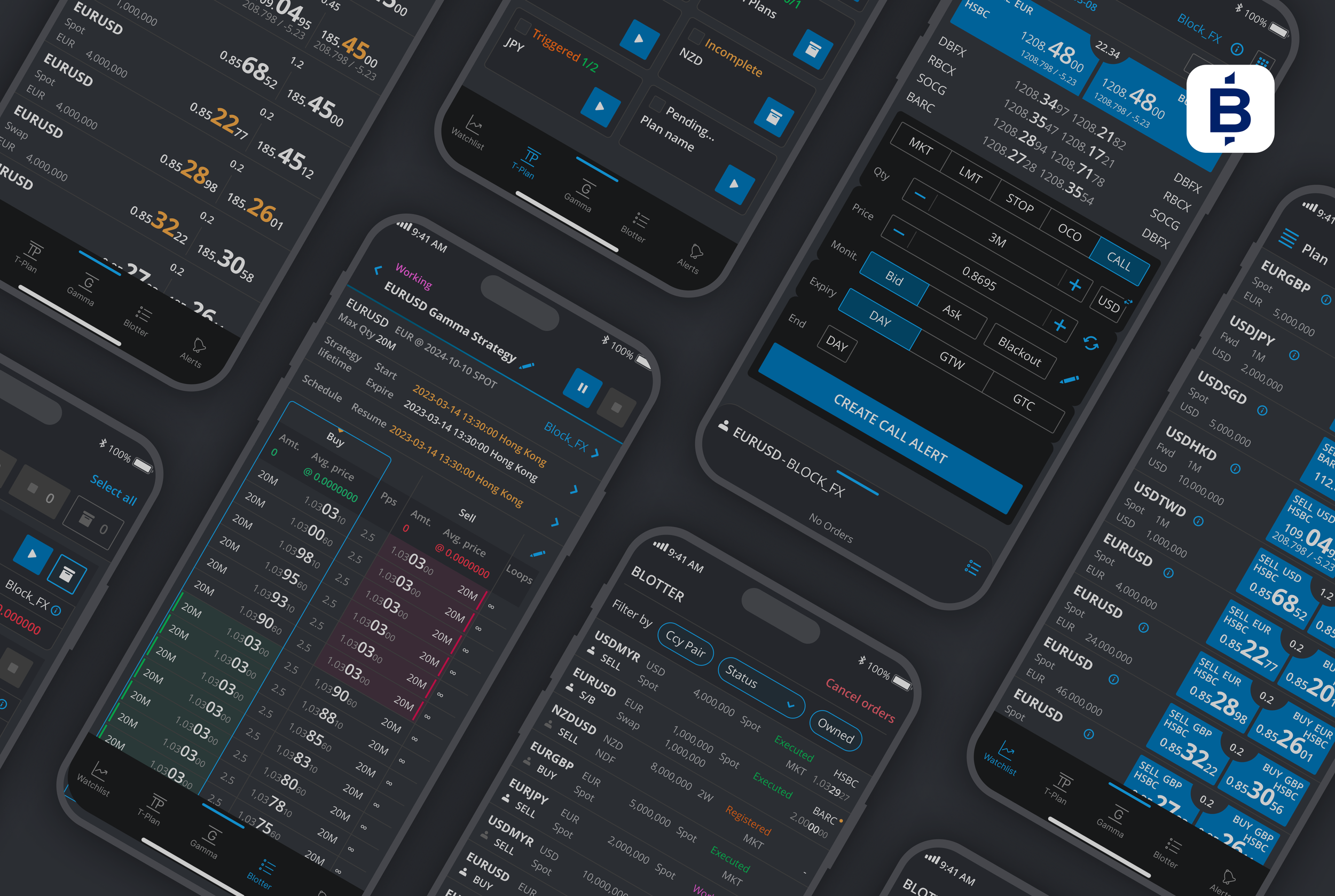
Monitor → React → Trade → Manage risk, wherever the trader is.
Trading doesn’t stop when you leave your desk, FX markets move around the clock, and market-moving events can happen at any moment. The BidFX mobile experience was designed to give traders the same level of control when they are away from their desktop — from monitoring live prices and placing trades to managing working orders and strategies.
Rather than simply replicating the desktop experience on a smaller screen, we focused on the moments where mobile can make the biggest difference: being able to see what is happening, react immediately, and stay in control of exposure — wherever you are.
Watchlist
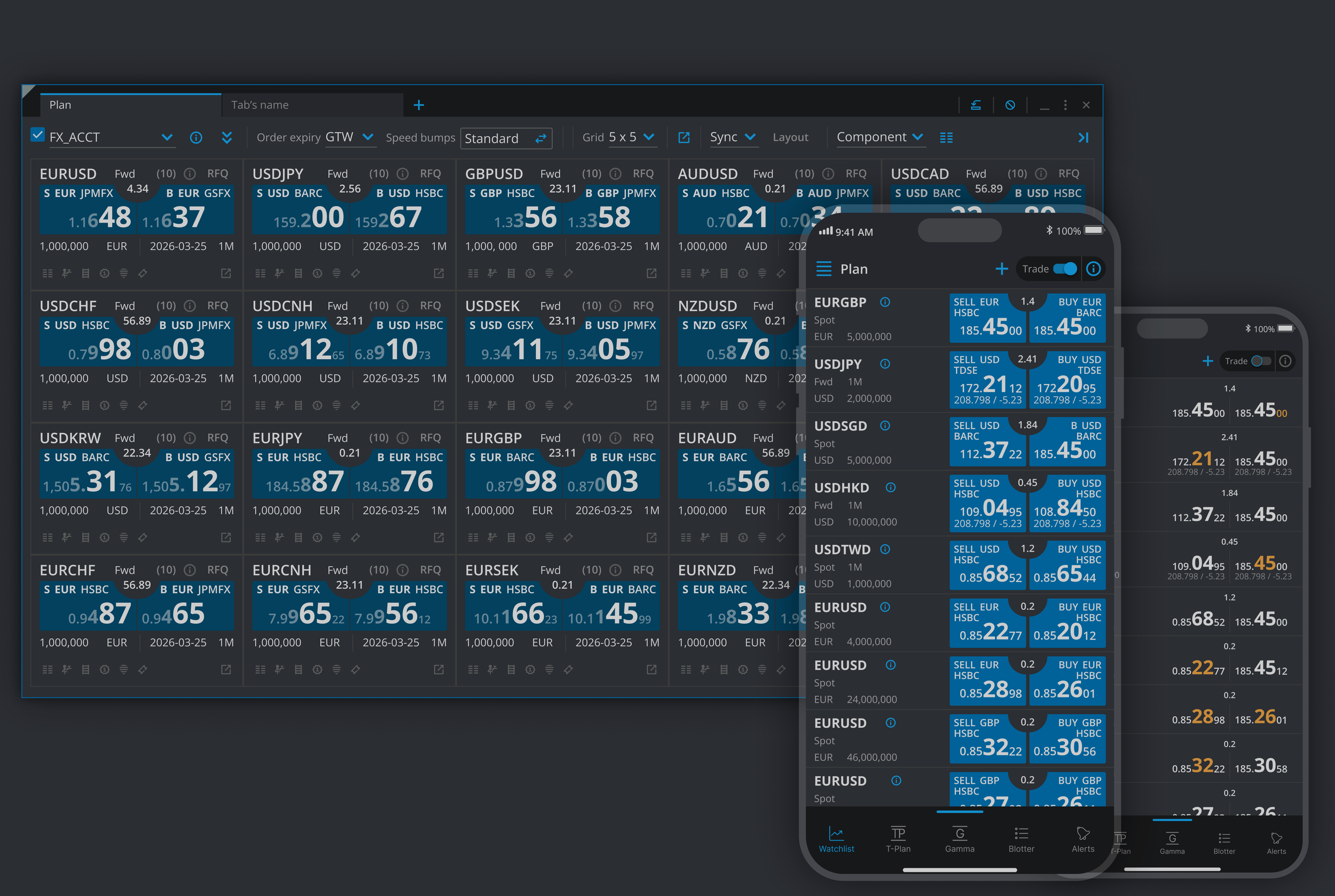
MultiFX is the trader's real-time market monitoring environment. On desktop, traders can build customised watchlists — or “buckets” — of currency pairs and monitor live liquidity across the market, with the ability to trade directly from the grid.
For mobile, we distilled that experience down to its most essential interactions.
Traders can create and manage mobile watchlists or sync their existing desktop watchlists, giving them immediate access to the markets they are monitoring. Live prices update in real time, and when an opportunity arises, a trader can move directly from watching to trading without needing to return to their desk.
Monitor the market. Spot an opportunity. Trade immediately.
Blotter
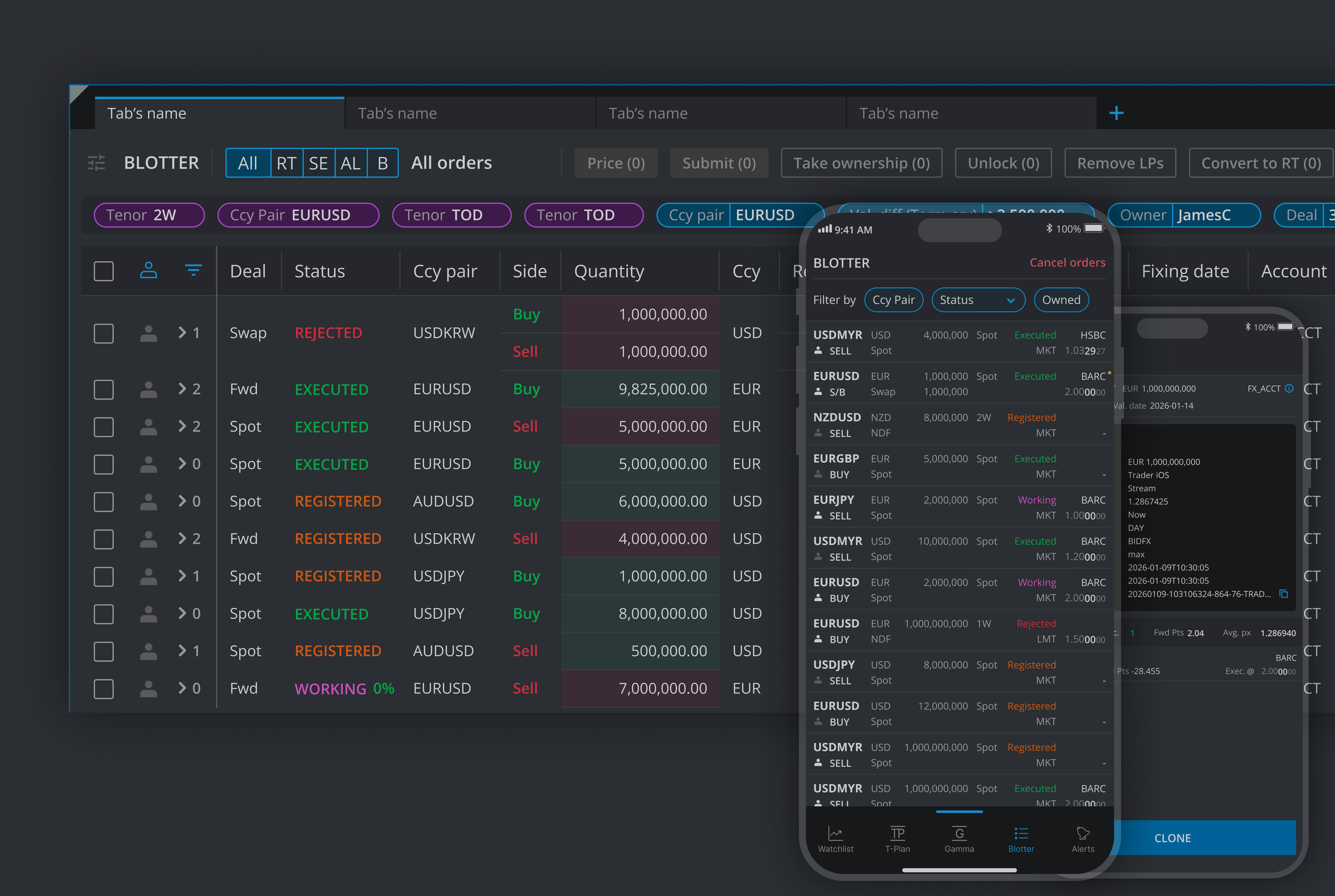
The Blotter is the operational control centre for a trader's orders.
On mobile, the focus was on giving traders control over the actions that matter most when they are away from their desk.
Traders can review their orders, filter large volumes of activity by owner, currency pair or order status, and open individual trades to see their full details. More importantly, they can take action immediately: cancel individual or multiple working orders, amend existing Stop and Limit orders, and execute registered orders.
This becomes particularly important during market-moving events. If conditions change unexpectedly, traders don't need to wait until they are back at their desk to manage their exposure. They can cancel, amend or execute orders directly from their phone.
The mobile experience turns the Blotter from a place to simply view orders into a tool for active risk and trade management.
Trading Ticket
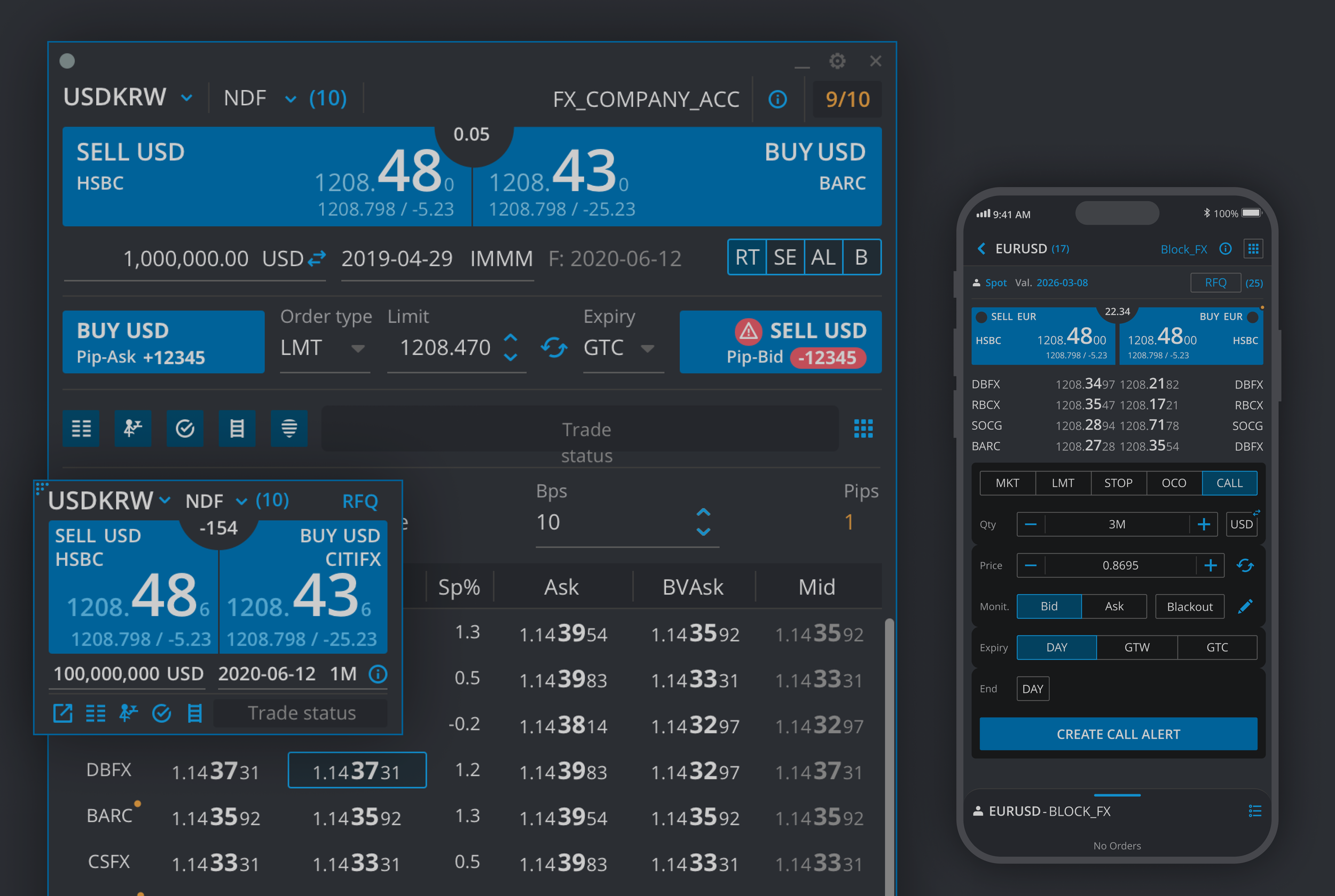
The Trading Ticket gives traders more options when they need to make a more advanced trade from their phone.
Traders can place Market, Limit, Stop and OCO orders, or set a price alert to be notified when a specific price is reached. They can also choose to trade through an RFQ with their favourite liquidity providers (LPs) or trade directly against the best available streaming price.
The ticket gives traders different ways to look at the market before placing a trade. They can check the market depth or use price ladders to see prices by amount or tenor.
Once a trade is placed, a mini Blotter at the bottom of the screen shows the order and its progress. Traders can tap the order at any time to change its settings or amend it, without leaving the Trading Ticket.
Gamma
A Gamma strategy helps traders automate a series of FX trades within a set price range. Instead of placing every trade manually, they can set the rules once and let the strategy manage the trades for them.
The Gamma section brings all the trader’s existing desktop strategies to mobile. Each strategy is shown in a simple card with the main information, making it easy to see what is happening at a glance.
From the main screen, traders can select one, several or all strategies and quickly Play, Cancel, Pause or Resume them.
They can also open any strategy to see more details and change its main settings, such as the maximum quantity to trade, ladder pip distance, amount for each trade and number of trades. They can also set the strategy to run in loops.
The app also lets traders set start and end times, as well as times to pause or resume a strategy. This is useful when there is a market event that could affect trading and the trader wants to stop or restart a strategy at a specific time.
Trading Plan
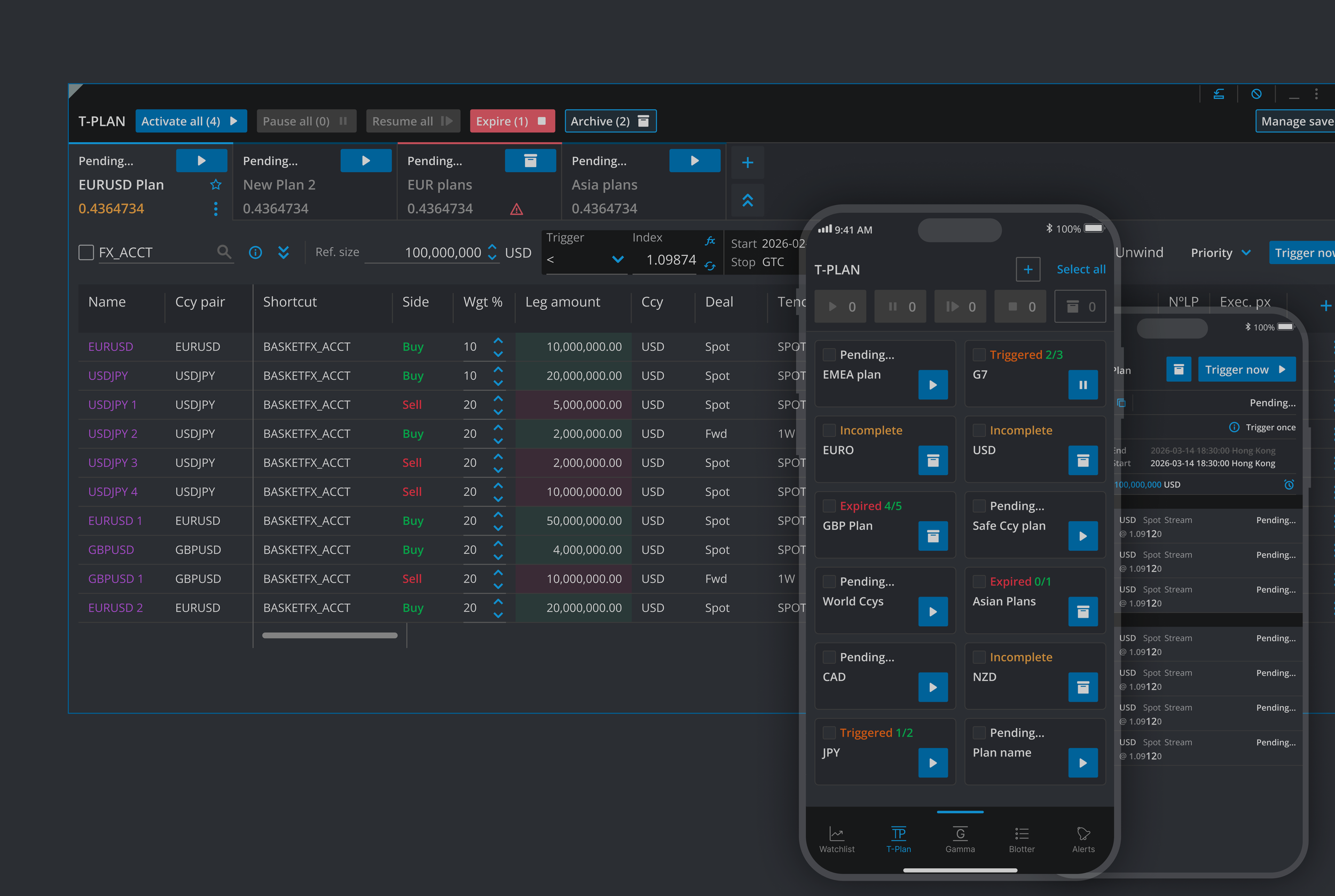
T-Plan allows traders to create complex trading strategies by combining multiple orders into one plan. Orders can run one after another, with time delays, or at the same time, depending on market conditions and specific And/Or rules.
Traders can also use real-time streaming prices to trigger a plan and start a sequence of trades. Common uses include trading FX baskets and creating complex If Done scenarios, where one trade depends on another.
The mobile app gives traders the freedom to manage their existing T-Plans without being tied to their desktop. When market conditions change or an important event is approaching, they can take action immediately, wherever they are.
From the main screen, traders can Activate, Trigger, Pause, Resume, Cancel or Archive a plan, making it quick and easy to respond to changing market conditions.
They can also schedule when a plan starts or ends, or set specific times to pause and resume it. This is particularly useful around important market events that could affect FX prices, allowing traders to manage their strategies even when they are away from their desk.
With T-Plan on mobile, traders can react quickly, manage their plans on the go and maintain control of their trading activity at any time.